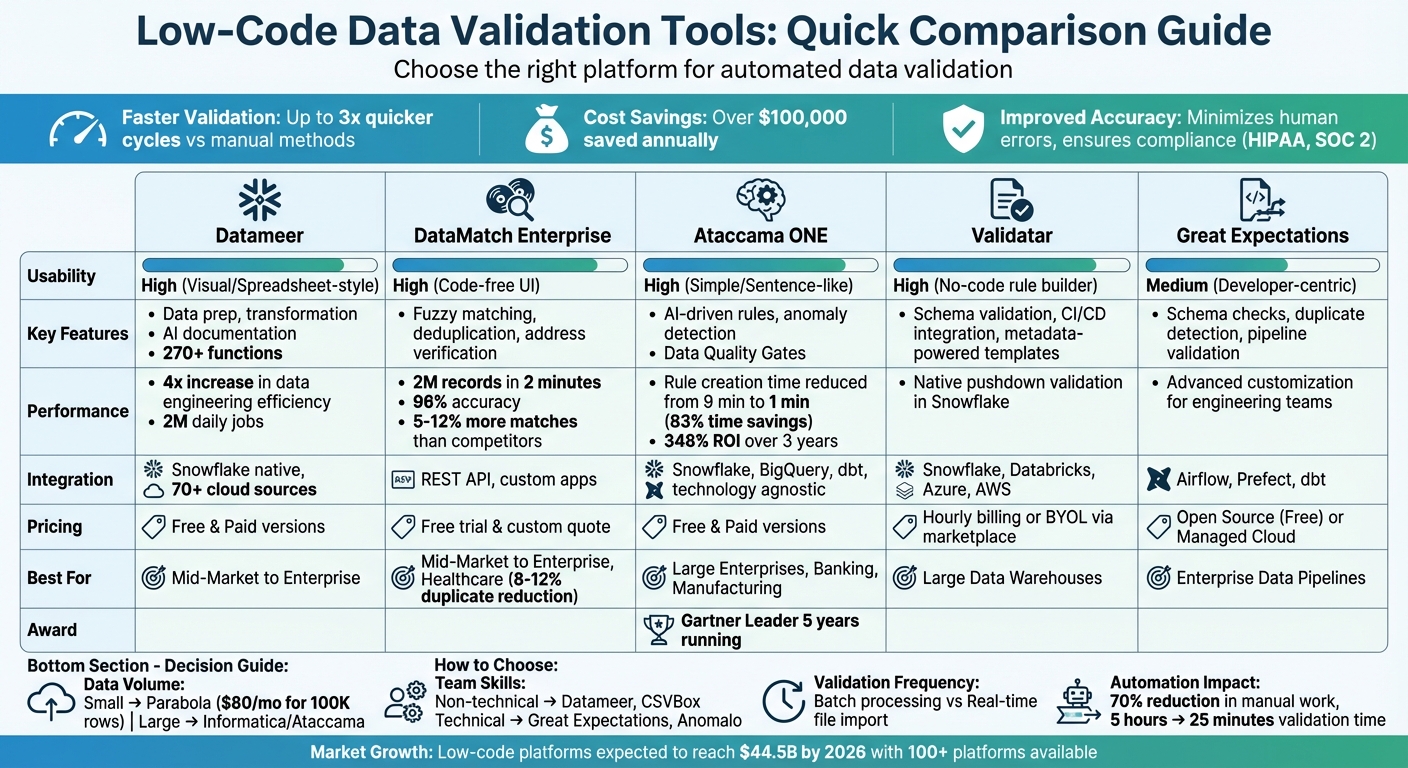
Low-code platforms simplify data validation by automating error detection, fixing inconsistencies, and ensuring data quality without requiring complex coding. These platforms use visual interfaces, drag-and-drop features, and AI to streamline the process. Key benefits include:
- Faster Validation: Up to 3x quicker cycles compared to manual methods.
- Cost Savings: Organizations report saving over $100,000 annually by reducing technical support and rework costs.
- Improved Accuracy: Automated tools minimize human errors, ensuring compliance with standards like HIPAA or SOC 2.
Popular tools include Datameer, DataMatch Enterprise, Ataccama ONE, Validatar, and Great Expectations. Each offers unique features like fuzzy matching, metadata-powered templates, and AI-driven rule generation. Choosing the right tool depends on your data volume, integration needs, and team expertise.
Quick Comparison
| Tool | Key Features | Usability | Integration Options | Best For |
|---|---|---|---|---|
| Datameer | Data prep, transformation, AI documentation | High (Visual) | Snowflake, 70+ cloud sources | Mid-Market to Enterprise |
| DataMatch Enterprise | Fuzzy matching, deduplication, address verification | High (Code-free UI) | REST API, custom apps | Mid-Market to Enterprise |
| Ataccama ONE | AI-driven rules, anomaly detection | High (Simple) | Snowflake, dbt, BigQuery | Large Enterprises |
| Validatar | Schema validation, CI/CD integration | High (No-code) | Snowflake, Databricks | Large Data Warehouses |
| Great Expectations | Schema checks, pipeline validation | Medium (Developer-centric) | Airflow, dbt | Enterprise Data Pipelines |
Automated validation ensures cleaner data, faster workflows, and reduced costs, making it essential for modern businesses.
Low-Code Data Validation Tools Comparison: Features, Pricing and Best Use Cases
Efficient Data Validation for IT and Business Professionals in Low-Code Environments
Low Code Tools for Automated Data Validation
Here’s a look at some standout low-code platforms designed to streamline automated data validation. Each tool offers distinct features to address different organizational challenges.
Datameer
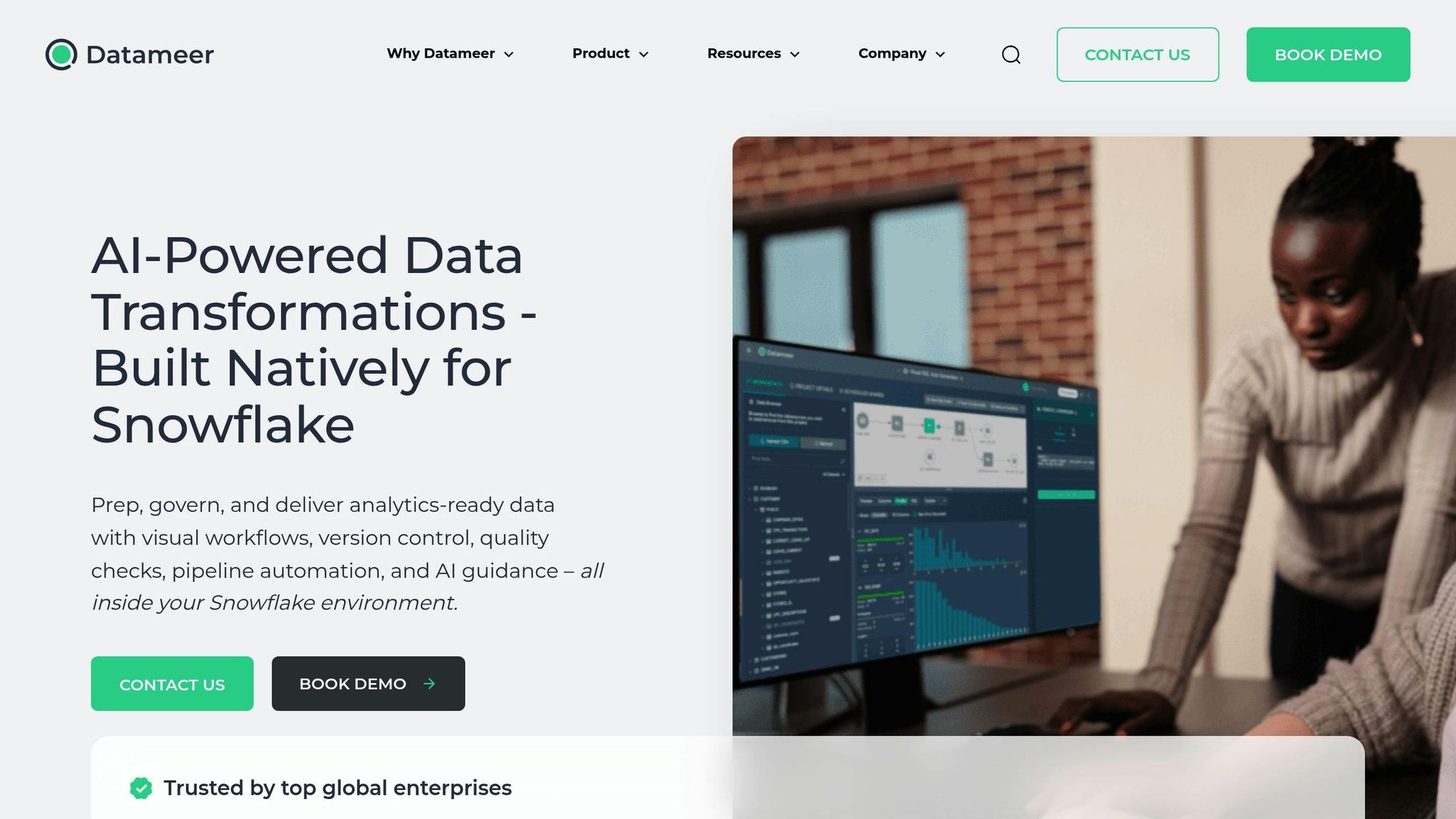
Datameer is a low-code data transformation platform tailored for Snowflake. It includes a robust library of over 270 functions for data preparation, allowing users to create validation logic through simple visual interfaces. With AI-powered documentation, the platform automatically generates project notes and uses automated discovery to identify data quality issues before they affect downstream analytics. Organizations using Datameer report a fourfold increase in data engineering efficiency compared to traditional coding methods. Impressively, it supports up to 2 million daily jobs and provides cost control dashboards to keep Snowflake expenses in check.
DataMatch Enterprise
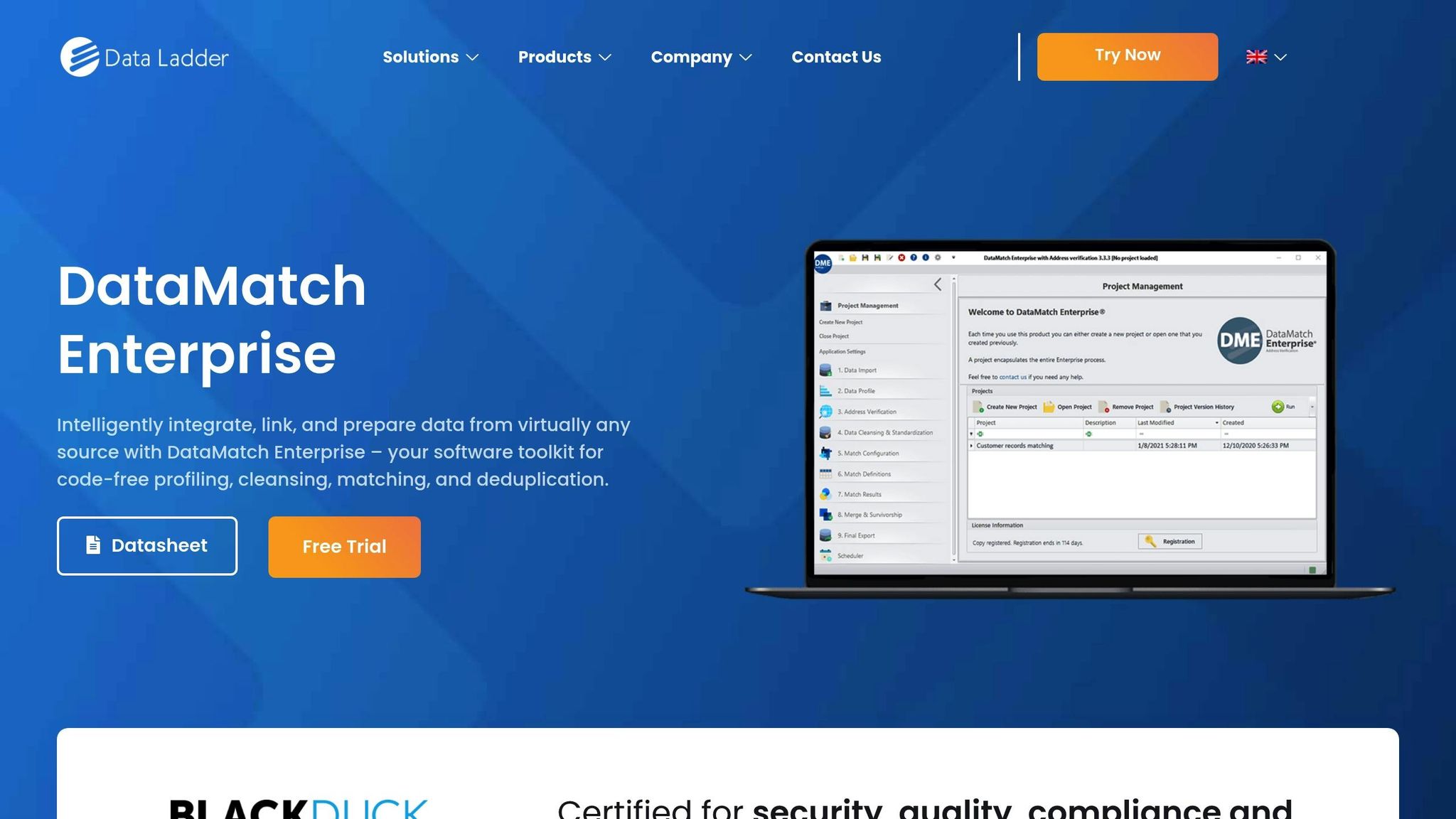
DataMatch Enterprise (DME) provides a code-free solution for data profiling, cleansing, and matching, making it accessible to non-technical users like marketers and business analysts. Its proprietary fuzzy matching algorithms process 2 million records in just 2 minutes with 96% accuracy. Independent tests show DME outperforms IBM, SAS, and WinPure tools in matching accuracy, finding 5–12% more matches than the former and 53% more than the latter.
Additionally, the platform includes a CASS-certified address verification feature from USPS, which converts rural addresses to street-style formats and adds ZIP+4 geocoding. This is especially useful for organizations handling sensitive personal data. Healthcare providers benefit from DME’s deduplication capabilities, addressing the 8–12% duplicate patient records typically found in healthcare systems.
Ataccama
Ataccama ONE is an AI-driven platform that automates the entire data quality lifecycle. Recognized as a Leader in the 2026 Gartner Magic Quadrant for Augmented Data Quality Solutions for the fifth year in a row, Ataccama introduces Data Quality Gates to validate data in motion within pipelines, avoiding delays caused by waiting for data to reach warehouses.
The platform’s AI reduces rule creation time from 9 minutes to just 1, saving teams 83% of their time through automation. Steven Bennett, Head of Data Enablement at Lloyds Banking Group, described the platform’s impact:
"As part of the journey we've gone through with Ataccama, we're becoming more data-first, moving from assumption to assurance around data quality."
Ataccama also converts business rules into platform-native functions like Snowflake UDFs, enabling local validation without moving data. Its Data Trust Index combines quality, ownership, and usage insights into a single metric, helping users quickly identify trustworthy datasets. For industries with strict compliance needs, such as banking or manufacturing, Ataccama offers tools to meet regulatory standards like Basel, Dodd-Frank, and Solvency requirements.
Validatar
Validatar is a centralized platform for data quality and QA, leveraging metadata-powered templates for scalable testing. It supports native pushdown validation within Snowflake, ensuring high performance even at scale. Validatar integrates seamlessly with CI/CD pipelines and scheduling tools, offering deployment flexibility through multi-tenant SaaS or self-hosted servers.
Great Expectations and dbt
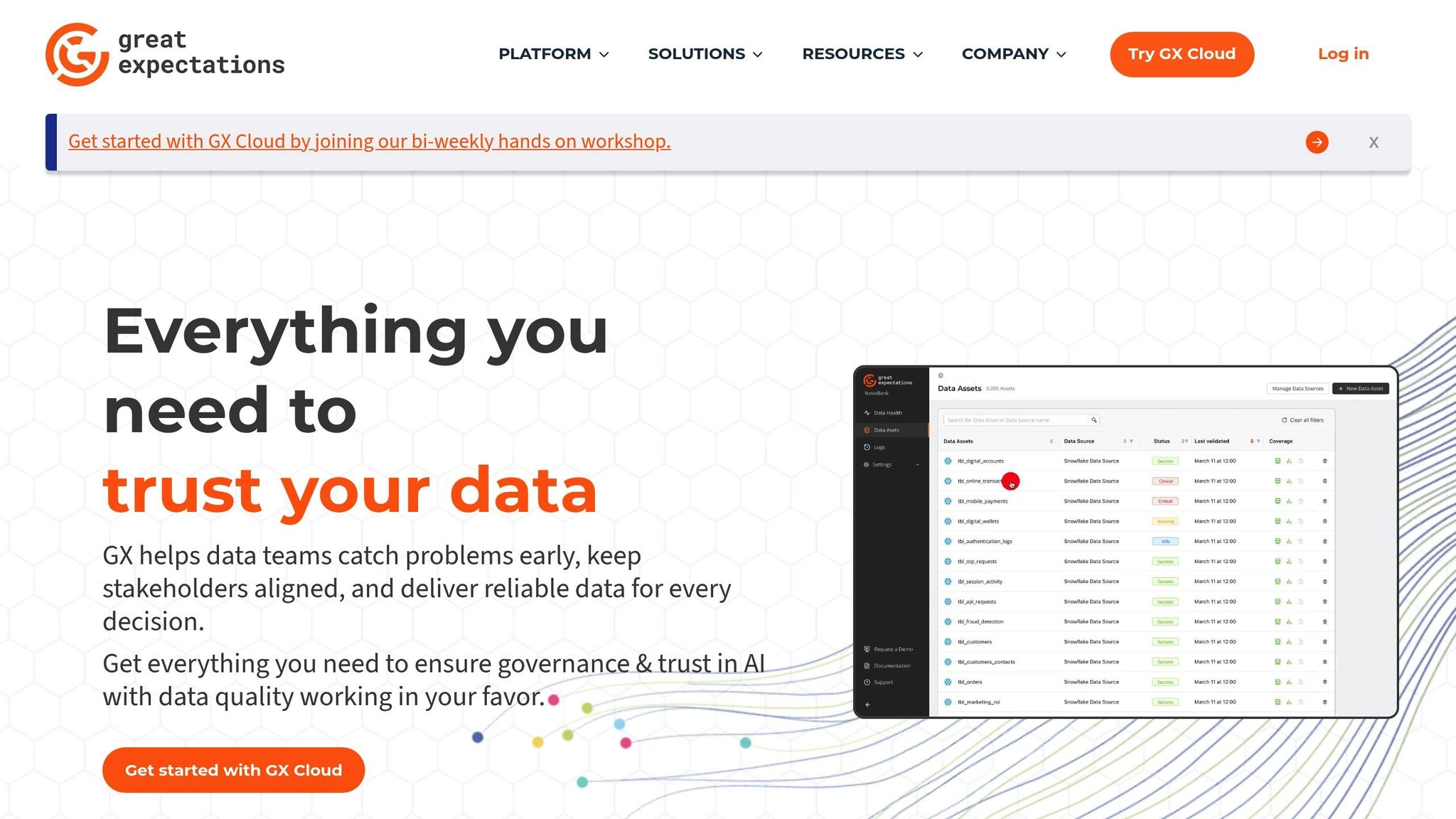
Great Expectations and dbt enable rule-based validation directly within data pipelines. These tools facilitate schema checks, duplicate detection, and integrity tests with precise control. While they require more technical expertise than low-code platforms, they offer advanced customization for data engineering teams. For example, Ataccama demonstrates how business rules can be exposed as native Snowflake functions and integrated into dbt pipelines. This allows teams to reuse validation logic across workflows, ensuring consistency across multiple data sources. By combining low-code simplicity with code-based precision, these tools provide a flexible approach to automated data validation.
For those interested in exploring these and other platforms, the Best Low Code & No Code Platforms Directory offers detailed comparisons to help organizations find the right fit for their data quality needs.
Feature Comparison
Data Validation Tools Comparison Table
Here's a quick breakdown of the key features offered by various data validation tools. This table can help you match your data needs with the right platform.
| Tool | Validation Types | Low Code Usability | Supported Integrations | Pricing Tiers (USD) | Ideal Data Volume Scale |
|---|---|---|---|---|---|
| Datameer | Preparation, Transformation, Exploration | High (Spreadsheet-style) | Snowflake (Native), 70+ Cloud Sources | Free & Paid Versions | Mid-Market to Enterprise |
| DataMatch Enterprise | Fuzzy Matching, Deduplication | High (Code-free UI) | RESTful API, Custom Applications | Free Trial & Custom Quote | Mid-Market to Enterprise |
| Ataccama ONE | Anomaly Detection, Custom Rules, Data Quality Gates | High (Sentence-like Conditions) | Snowflake, BigQuery, dbt, Technology Agnostic | Free & Paid Versions | Large Enterprise |
| Validatar | Schema Validation, Integrity Tests, Metadata-Powered Templates | High (No-code Rule Builder) | Snowflake, Databricks, Azure, AWS | Hourly Billing or BYOL via Marketplace | Large Data Warehouses |
| Great Expectations | Schema Checks, Duplicate Detection, Pipeline Quality Gates | Medium (Developer-centric) | Airflow, Prefect, dbt | Open Source (Free) or Managed Cloud | Enterprise Data Pipelines |
This comparison table provides a snapshot of each tool's capabilities, helping you align your data validation and integration needs with the right platform.
For instance, DataMatch Enterprise is known for its speed, processing 2 million records in just 2 minutes with an accuracy rate of 96%. Ataccama ONE highlights its efficiency with a reported 348% return on investment over three years. Validatar, on the other hand, offers flexible deployment options, including hourly billing and bring-your-own-license models through Azure and Snowflake marketplaces. Meanwhile, Great Expectations caters to data engineering teams with a developer-friendly approach and seamless integration with tools like Airflow and dbt.
Integration capabilities are another key factor. DataMatch Enterprise provides a RESTful API, making it easy to integrate with custom applications. Ataccama ONE takes integration further by exposing business rules as native Snowflake functions, which work directly within dbt workflows.
If you're looking for even more options, check out the Best Low Code & No Code Platforms Directory. It's a great resource for comparing hundreds of tools to find the best fit for your organization's specific needs.
sbb-itb-3a330bb
How to Choose the Right Tool
Assess Your Data Validation Requirements
Start by matching tool features to your specific data validation needs.
Think about the scale and complexity of your data. Tools like Informatica and Ataccama ONE are built for large enterprise-level datasets but come with higher costs and a steeper learning curve. For smaller-scale projects, options like Parabola - starting at $80/month for 100,000 rows - may be a better fit.
Consider how often you need to validate your data. Some tools are ideal for scheduled batch processing, while others, like CSVBox, specialize in file import validation. If you're working with massive datasets, look for tools that support native pushdown for data warehouses like Snowflake. This ensures your processes remain efficient and avoids performance bottlenecks.
Integration is another key factor. Confirm the tool works seamlessly with your existing data warehouses and orchestration tools. Additionally, if your validation workflows involve complex logic - such as IF-THEN rules, cross-dataset joins, or multi-system validations - make sure the tool supports these features. Tools that include root cause analysis, like visualizations or examples of problematic rows, can also save you time when troubleshooting issues.
Once you’ve mapped out your requirements, focus on selecting a tool that aligns with your team's skill level and usability needs.
Balance Features and Usability
After defining your needs, evaluate how the tool's features match your team's expertise.
For teams with less technical experience, tools with drag-and-drop interfaces like Datameer are a good choice. On the other hand, platforms like Anomalo and Validatar, which allow SQL or Python overrides, are better for data engineers handling complex scenarios. Automated validation can significantly reduce manual work - by as much as 70% - and cut validation times dramatically. For instance, one process that used to take 5 hours was reduced to just 25 minutes.
Advanced platforms like Informatica offer powerful governance features but often require more training to use effectively. Simpler tools like CSVBox focus on specific workflows, such as file validation, and are particularly useful for customer-facing teams. For example, one organization using automated data onboarding tools saved over $100,000 in technical support costs in just one year by eliminating repetitive "redo" cycles.
Make sure the tool provides escape hatches - options to write custom SQL or Python when no-code rules don’t cover your needs. Also, check deployment options; some tools offer self-hosted versions or meet compliance standards like SOC 2 or HIPAA. Lastly, platforms with "Preview" or "Suggested" rule states let you review auto-generated rules before they’re deployed, giving you more control over the process.
Conclusion
Automated data validation isn't just a technical improvement - it's a necessity for modern businesses. Consider this: around 71% of organizations using low-code tools report cutting application development time by up to 50% compared to traditional methods. On top of that, some companies save over $100,000 annually in technical support costs by eliminating repetitive onboarding errors.
These kinds of savings and efficiency gains underscore the limitations of manual validation. While manual processes are prone to errors and struggle to scale, AI-powered automation can analyze thousands of records in seconds with far greater precision. Low-code platforms take this a step further by enabling non-technical users - like marketing or operations teams - to set up data validation rules without needing to code. This shift not only allows business teams to monitor data in real time but also frees up data engineers to focus on more strategic tasks.
Some advanced low-code tools even include features like self-healing pipelines. These pipelines can automatically retry failed tasks or stop operations to prevent bad data from reaching production, reducing unnecessary cloud costs by as much as 75%.
Choosing the right platform, however, requires careful consideration. Factors like your data volume, integration needs, and the complexity of validations - whether simple format checks or more advanced cross-dataset comparisons - should guide your decision. Also, don’t overlook the long-term costs. While monthly pricing might seem affordable, the three-year ownership costs can range from $720 for AI-driven solutions to over $14,000 for enterprise-level low-code licenses.
With the low-code market trends expected to grow to over 100 platforms by 2026 and hit $44.5 billion in value, thorough research is crucial. Resources like the Best Low Code & No Code Platforms Directory (https://lowcodenocode.org) can help you identify the best tools for your specific needs, whether you're focused on analytics, automation, or development.
To get started, prioritize datasets that have a direct impact on revenue or compliance. These areas often deliver immediate ROI, making them ideal for early wins. Also, involve end-users in the trial phase to ensure the platform’s interface works for their day-to-day tasks. By concentrating on these high-impact areas, you can quickly see measurable results in your data validation efforts.
FAQs
What’s the difference between low-code and no-code data validation?
The main distinction lies in the degree of technical complexity and customization they offer. No-code tools are designed for non-technical users, featuring intuitive, easy-to-use interfaces that simplify tasks like schema enforcement and error detection. On the other hand, low-code tools allow for greater flexibility, requiring minimal coding to tackle more intricate needs, such as implementing custom logic or integrating APIs. While no-code focuses on simplicity and accessibility, low-code is better suited for handling advanced, enterprise-level requirements.
How can I check if a tool validates data inside my warehouse (pushdown)?
To determine if a tool supports pushdown data validation, check whether it allows query pushdown. This feature lets validation occur directly within the data source, improving performance by reducing data movement. Look for functionalities like predicate pushdown (filtering data at the source) or projection pushdown (handling transformations within the database). Some tools also come with preconfigured workflows that include pushdown validation, making data quality checks more efficient and streamlined.
When should I pick a low-code tool vs Great Expectations or dbt tests?
If you’re looking for quick deployment, ease of use, and collaboration, low-code tools are a great option. They are designed with non-technical users in mind, offering visual interfaces and requiring minimal coding. This makes tasks like data validation much simpler and more accessible.
On the other hand, if your team has advanced technical expertise and needs a more customizable, code-driven approach, consider tools like Great Expectations or dbt tests. These frameworks are ideal for handling complex workflows and integrating deeply into data engineering pipelines.