RSVPify is a no-code event management platform that simplifies organizing events like weddings, fundraisers, corporate gatherings, and private parties. It offers tools for creating custom event websites, collecting RSVPs, selling tickets, managing guest lists, and handling check-ins. Features include QR code scanning, drag-and-drop seating charts, automated email reminders, and Stripe payment integration with payouts processed within 48 hours. Pricing starts with a free plan for up to 100 guests, while paid plans range from $24/month to $299/month for non-ticketed events. Ticketed events use a fee-per-ticket model (1.95% + $0.90 per ticket). RSVPify integrates with platforms like Wix and Squarespace, making it a versatile option for event organizers. However, costs can increase for larger non-ticketed events, and some users report challenges with email deliverability and form customization.
Key Highlights:
- Free plan for up to 100 guests; paid plans start at $24/month.
- Ticketed events: No monthly fee; 1.95% + $0.90 per ticket.
- Features include QR codes, seating charts, and Stripe integration.
- Used for over 1 million events, saving organizers up to 60 hours.
RSVPify is a practical tool for managing events of all sizes, offering flexibility, ease of use, and time-saving tools for event planners.
1. RSVPify
Features
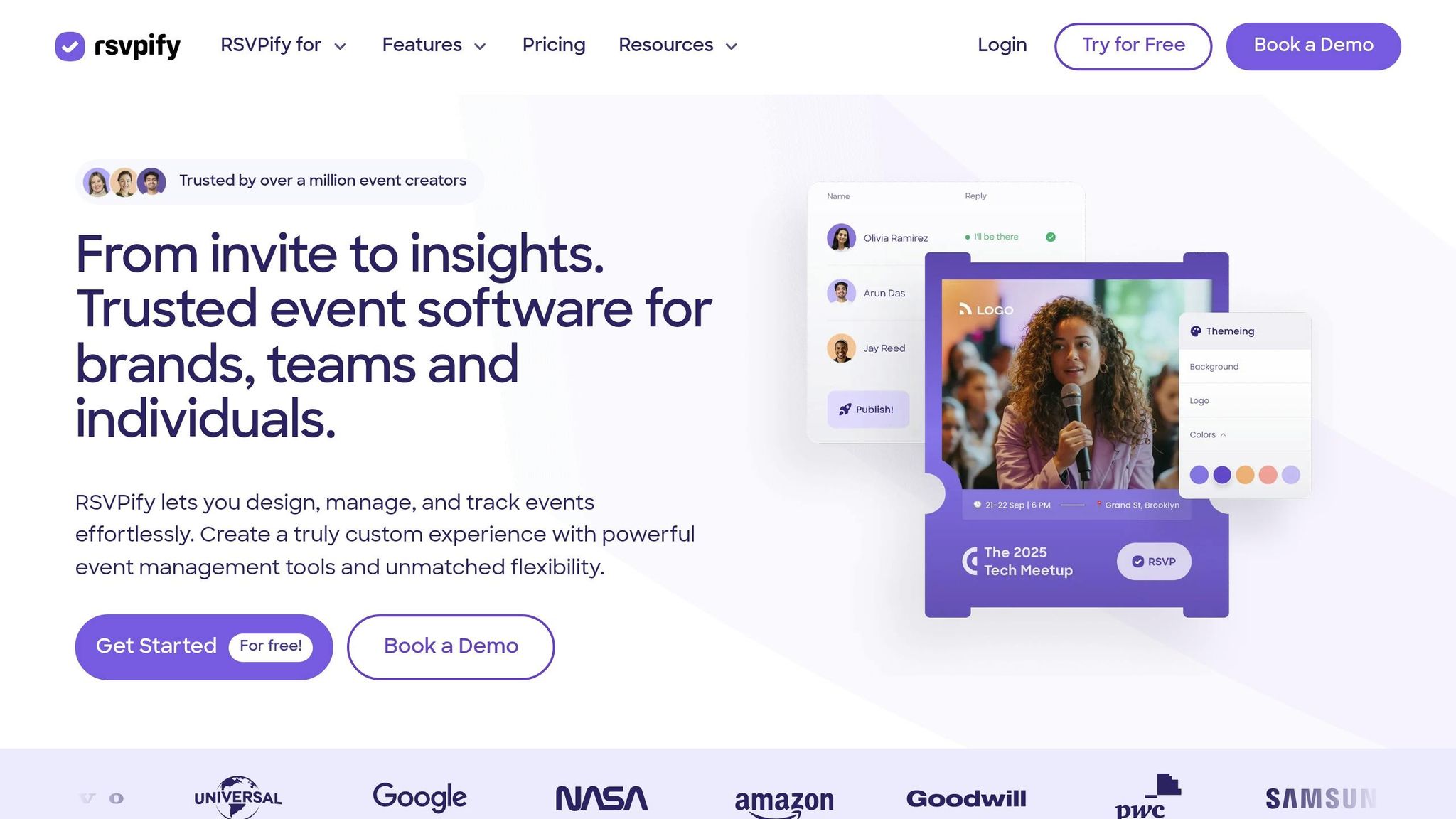
RSVPify provides a complete suite of tools for managing events, from invitations to on-site logistics. Its registration system lets you create custom event websites and forms, complete with logic-based branching and the ability to gather specific details like menu choices or file uploads (e.g., vaccine passports). For guest list management, the platform supports invite-only lists, group RSVPs, and options for "plus-one" or "plus-X", ensuring only invited guests can RSVP.
On the day of the event, RSVPify enhances the experience with tools like QR code scanning, self-service check-in kiosks, and custom badge printing. Additional features include drag-and-drop seating charts, management of secondary events (like VIP sessions), and automated email reminders and confirmations. For organizations with sensitive data, RSVPify offers HIPAA-compliant environments, password protection (general or invitee-specific), and bot protection. Payment processing is handled through Stripe, supporting multi-tier ticketing with payouts typically processed within 48 business hours. These tools have been used for over 1 million events, with some planners reporting time savings of up to 60 hours.
Tiffany K, Associate Director at The Bush School, shared: "RSVPify made it easy for me to do my job - i.e., to see numbers of who responded, who has not yet responded, communicating all in one spot, updating event details in a quick way. I feel like it saved me hours."
Pricing
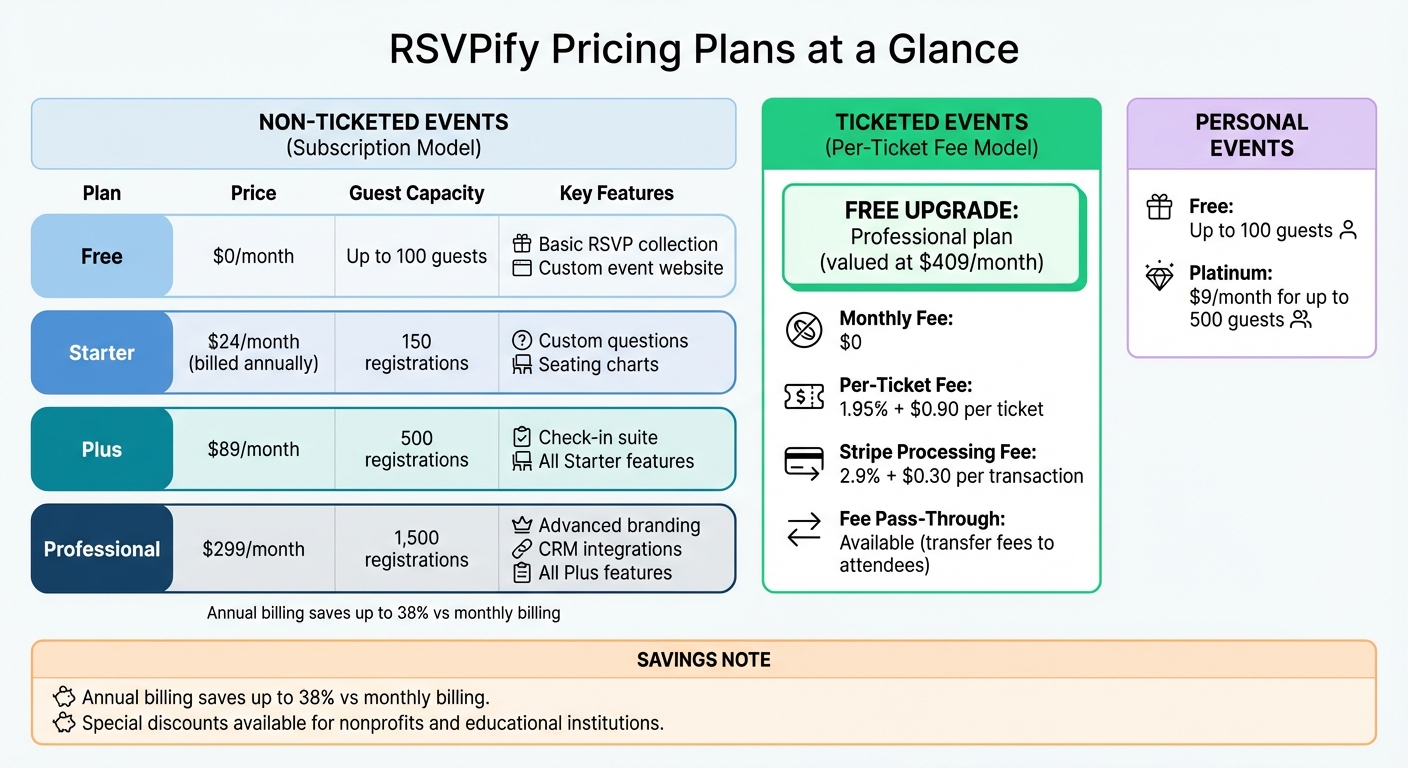
RSVPify offers flexible pricing to fit different event needs. For RSVP-only events, there’s a subscription model, while ticketed events use a per-ticket fee structure. Non-ticketed events are priced based on monthly registrations and feature access. The Free plan allows up to 100 guests, while the Starter plan ($24/month billed annually) includes 150 registrations, custom questions, and seating charts. The Plus plan ($89/month) increases capacity to 500 registrations and adds the check-in suite, while the Professional plan ($299/month) supports 1,500 registrations with advanced branding and integrations.
For ticketed events, there’s no monthly fee. Instead, you get a free upgrade to the Professional plan (valued at $409/month) and pay 1.95% + $0.90 per ticket sold. Stripe fees of 2.9% + $0.30 per transaction also apply. Annual plans offer discounts of up to 38% compared to monthly billing. Personal event plans range from Free (up to 100 guests) to Platinum ($9/month for up to 500 guests).
To maximize revenue, the "Fee Pass-Through" feature lets you transfer ticketing fees to attendees, ensuring your organization keeps 100% of the ticket price.
Use Cases
RSVPify’s versatility makes it ideal for a wide range of events. It’s commonly used for corporate gatherings, nonprofit fundraisers, weddings, private parties, class reunions, concerts, and Bar & Bat Mitzvahs. The platform caters to organizations of all sizes, from small businesses to large enterprises, and is especially popular among educational institutions and nonprofits.
For high-profile events, the Enterprise and Professional plans let you remove RSVPify branding and use custom "From" email addresses to maintain a polished, branded appearance. The "Secondary Events" feature is particularly useful for managing exclusive sub-events, like rehearsal dinners or VIP lounges, without complicating the main registration process.
Sophie C, Senior Community Engagement Manager at Wildlife Conservation Network, remarked: "RSVPify's system allows us to manage RSVPs on an individual level within groups or families, which is a game-changer for us. It enables us to have more personalized communication with our donors."
Special pricing and fee discounts are available for nonprofits and educational institutions. These features, combined with flexible pricing options, make RSVPify a reliable choice for simplifying event management across various scenarios.
sbb-itb-3a330bb
Tour RSVPify's Event Management Platform
Pros and Cons
RSVPify Pricing Plans Comparison: Features and Costs
RSVPify stands out for its sleek and easy-to-use interface. It offers a range of customization tools, such as custom CSS, branded email invitations, and embeddable forms compatible with platforms like Squarespace or Wix, giving event organizers a lot of control over their event's look and feel. For ticketed events, the pricing model is appealing. The Professional plan, typically priced at $409/month, is available for free in these cases, with users only paying a fee of 1.95% + $0.90 per ticket. Payments are processed quickly, with payouts delivered via Stripe within 48 business hours .
On the downside, costs can rise sharply for non-ticketed events. For instance, the Professional plan costs $409/month for events with up to 1,500 registrations . Some users have also reported difficulties in customizing forms to meet their exact needs. A common issue is email invites landing in spam folders, which can lead to significant follow-up work. As Chelsea H. shared: "The RSVPify invites got caught in a lot of people's spam filters, so people said they didn't receive the invites or the QR codes... It took up a lot of my time responding to attendees one at a time".
Here’s a breakdown of the pros and cons:
| Category | Advantages | Disadvantages |
|---|---|---|
| User Experience | Sleek, intuitive interface; reduces manual workload | Some navigation challenges; interface only available in English |
| Customization | Options like custom CSS, fonts, white-label branding, and embeddable forms | Higher-tier plans required for advanced branding options |
| Pricing | Free plan for events with up to 100 guests; free Professional plan for ticketed events | Expensive monthly fees for larger, non-ticketed events |
| Functionality | Features like drag-and-drop seating charts and fast Stripe payouts | Requires separate Stripe integration; exporting data via CSV can be time-consuming |
While RSVPify offers many useful features, there are some limitations, especially for larger or more complex events. For example, it doesn’t provide bidirectional CRM synchronization on standard plans, which can lead to data silos and require manual spreadsheet exports for enterprise-level events. Additionally, reporting tools on mobile devices are limited, and filtering exported data often requires extra manual effort.
Despite these drawbacks, RSVPify maintains a strong reputation, with a 4.8/5 rating from 422 verified user reviews. Many users appreciate its polished design and responsive customer support .
Conclusion
RSVPify simplifies event management with tools like drag-and-drop seating charts, conditional form logic, and QR code scanning. It also integrates seamlessly with platforms such as Stripe, Zapier, Salesforce, and HubSpot, making it a versatile choice for event organizers.
The platform offers pricing plans designed for both ticketed and non-ticketed events. For ticketed events, users benefit from a free upgrade to the Professional plan, with fees of 1.95% + $0.90 per ticket. Non-ticketed events can start with the Free plan, which supports up to 100 registrations, while paid plans begin at $24 per month (billed annually). These adaptable options cater to a wide range of event types and budgets.
RSVPify is well-suited for nonprofits, corporate gatherings, weddings, and large private parties. Its features - like Table Captain portals and donation collection tools - are ideal for fundraisers, while advanced branding and CRM integration meet corporate needs. Additionally, the platform’s ability to manage individual RSVPs within groups allows for more tailored communication with attendees and donors.
With strong reviews, including a 4.7/5 rating on G2 and 4.8/5 on other major platforms, RSVPify is praised for its user-friendly design and responsive support. However, organizations planning large non-ticketed events should weigh the costs, as the Professional plan can reach $409 per month for up to 1,500 registrations.
For event planners and businesses looking for a scalable, no-code RSVP and ticketing solution, RSVPify offers a robust set of features and flexible pricing. It’s especially valuable for managing ticket sales or complex guest lists. For those interested in exploring no-code tools beyond event management, resources like the Best Low Code & No Code Platforms Directory provide further insights.
FAQs
Which plan fits my guest count?
RSVPify provides pricing options based on the number of guests:
- Free Plan: Covers up to 100 guests.
- Gold Plan: For 101–300 guests, priced at $6/month (billed annually).
- Platinum Plan: Accommodates 301–500 guests at $9/month (billed annually).
- Plus/Professional Plans: Designed for events with over 500 guests, starting at $89/month (billed annually).
Choose a plan that aligns with your guest list to ensure your event runs smoothly.
What are the total ticketing fees per sale?
RSVPify applies a ticketing fee of 1.95% plus $0.90 USD for each ticket or donation processed through their platform. These fees are charged per transaction.
How do I improve email deliverability?
To ensure your emails land in inboxes rather than spam folders, focus on a few key practices. Start by implementing email authentication protocols like SPF, DKIM, and DMARC. These tools verify your domain and protect against spoofing. Next, keep your contact list in top shape - clean it regularly and segment it to minimize bounces and enhance engagement. Personalization is another game-changer; tailored emails encourage interaction and foster better relationships. Finally, keep an eye on your delivery metrics to safeguard your sender reputation. Together, these steps can significantly improve your email deliverability.